 AirPower
New design + Shopify segments, discounts, returns, and files + steadier syncs
AirPower brings Shopify discounts, customer segments, returns, inventory transfers, and files into Airtable, plus a new design and more order and product fields.
A new design
AirPower has a new design for the dashboard, the sync page, and setting up a new sync.
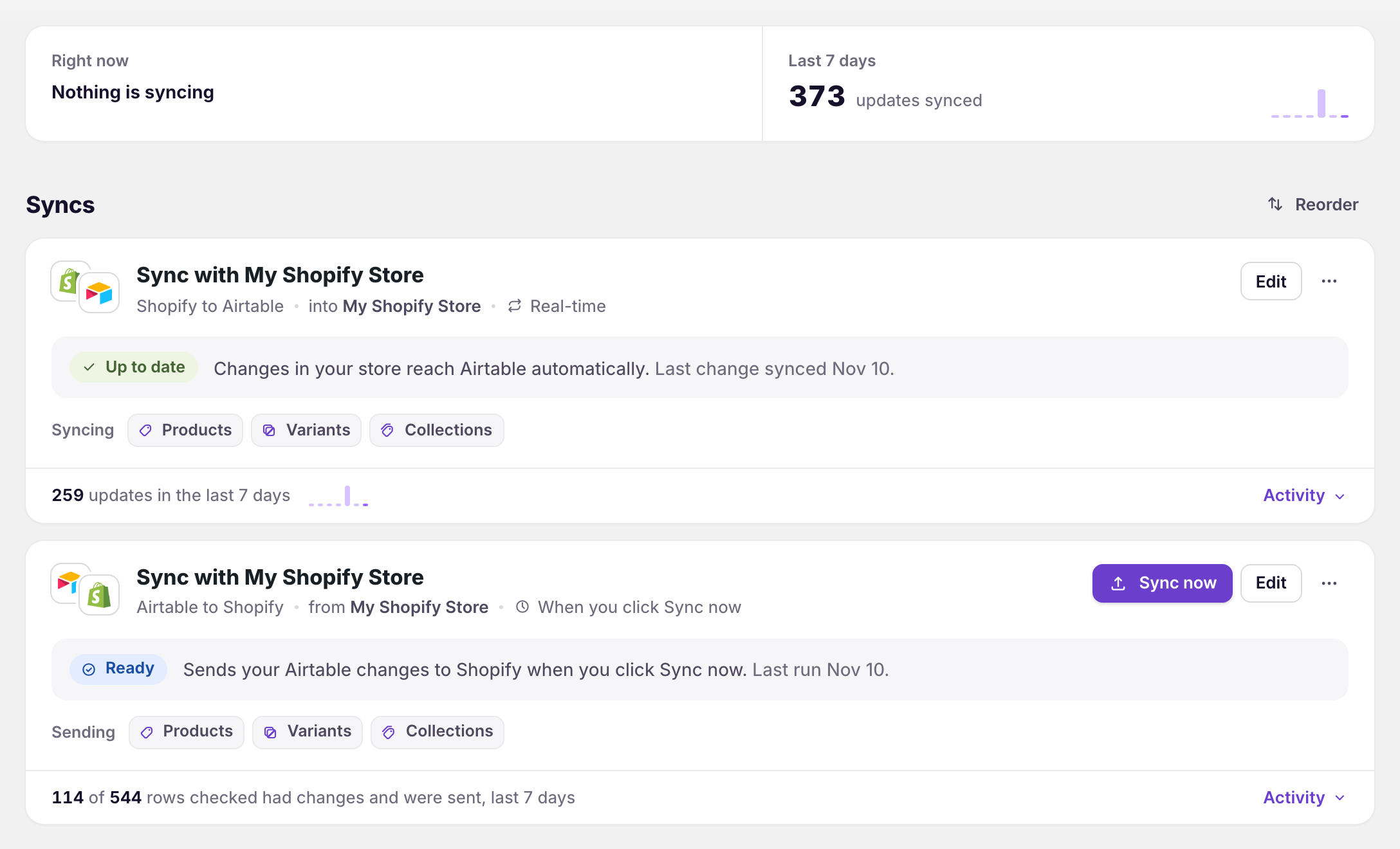
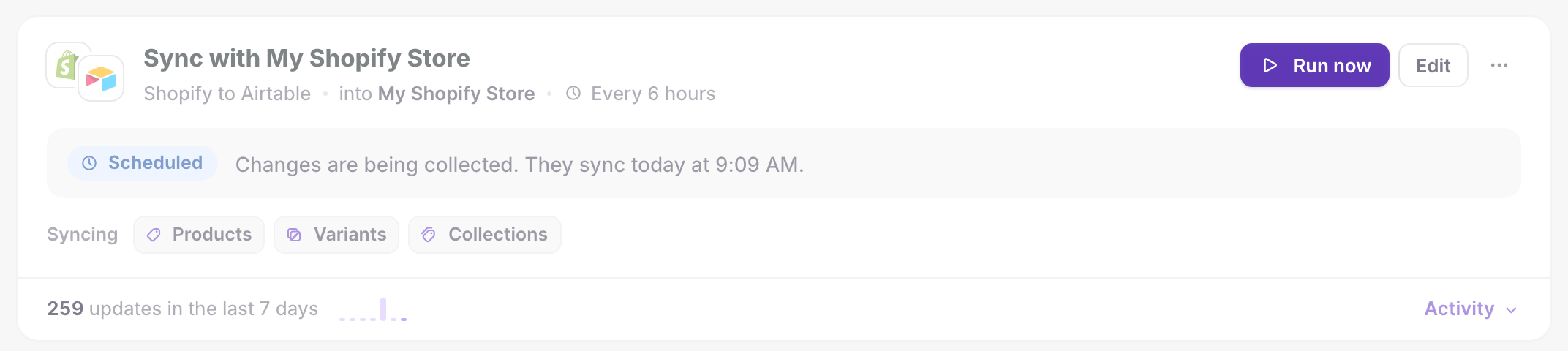
- The dashboard shows which syncs need your attention, what is syncing right now, and how many updates synced in the last 7 days
- The sync page shows each data type as a tab, laid out like Shopify’s own page, with a real example from your store next to each Airtable column
- Filters and field settings sit on each data type’s tab
- Missing Airtable columns are created with the right column type when you save
- New sync walks you through five steps: Direction, Airtable base, Data, Schedule, and Review and start
- The Errors tab shows Shopify’s or Airtable’s own explanation under each error
- You can change a sync’s direction in Settings → Connection
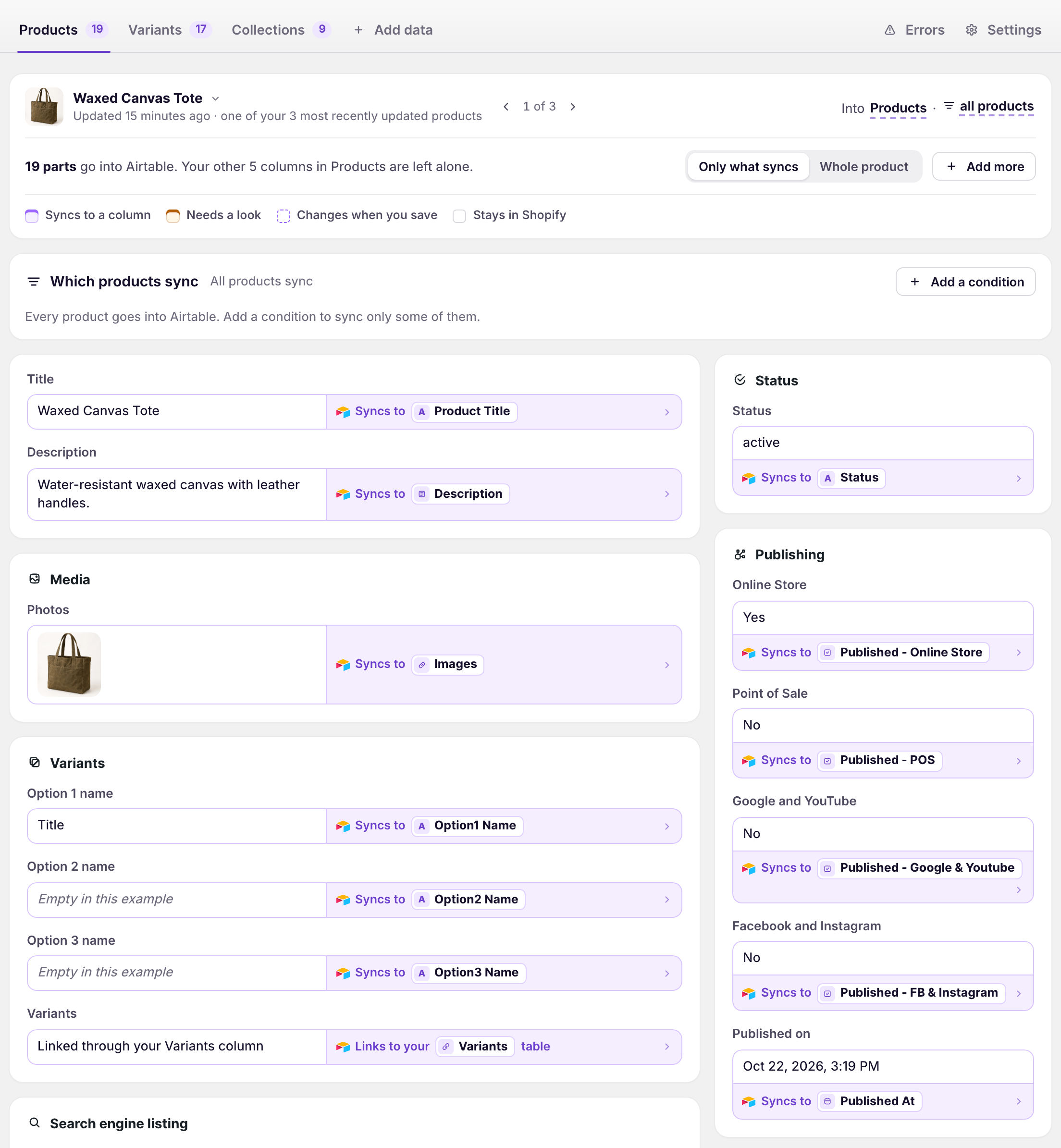
New stores get the new design. If you already use the app, click Switch to the new design at the bottom of the dashboard. Switch to the classic design takes you back at any time.

Learn more in Sync page overview and Dashboard overview.
Shopify customer segments, discounts, and returns in Airtable
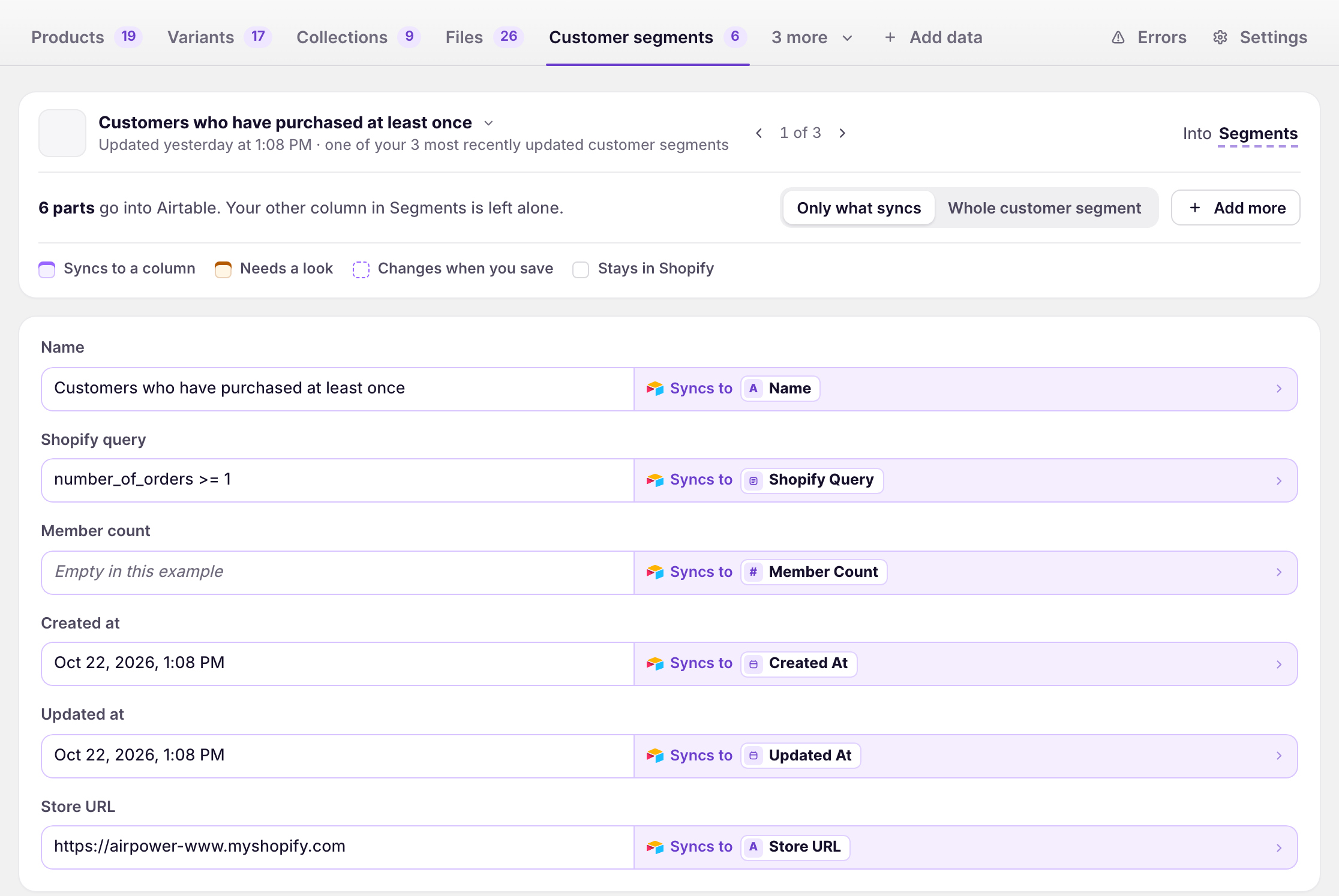
AirPower now syncs three more Shopify data types to Airtable.
- Customer segments: each segment’s query and member count, linked to the customers in it
- Discounts: automatic and code discounts with their status, dates, values, usage counts, and combination rules
- Returns: each return’s status and dates, with its returned items, quantities, and reasons linked to the original order
Learn more in Sync Shopify customer segments to Airtable, Sync Shopify discounts to Airtable, and Sync Shopify returns to Airtable.
Shopify inventory transfers and shipments in Airtable
AirPower now syncs Shopify inventory transfers and shipments to Airtable, so you can track stock moving between your locations.
Transfers, shipments, and their line items each get a table, linked to your Products and Variants. Incoming stock on your variants updates as transfers change, and your Locations table updates as soon as a location changes in Shopify.
Learn more in Sync Shopify inventory transfers and shipments to Airtable and Bulk edit Shopify locations with Airtable.
Shopify files, both ways
Manage your Shopify Files library from Airtable.
Bring every file into Airtable, upload new images, documents, videos, and 3D models from an Airtable attachment column, and edit alt text and filenames in bulk.
Learn more in Bulk edit Shopify files with Airtable.
More order, product, and customer fields
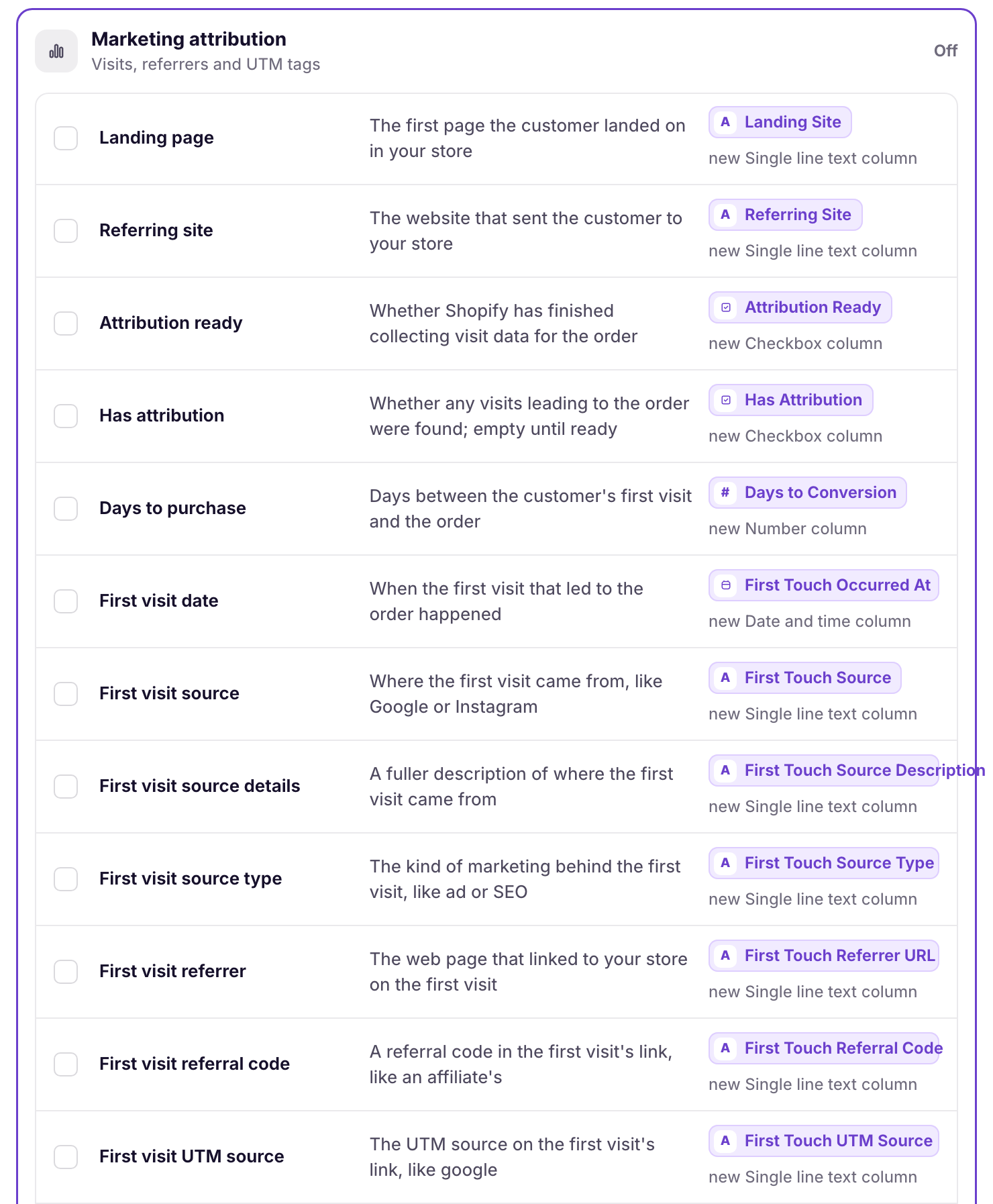
Many new Shopify fields can now go into Airtable.
- Orders: marketing attribution, such as each order’s first and last visit, referring site, and UTM tags, plus payment terms, sales channel, and refund and delivery amounts for each line item
- Products and variants: unit prices, tax codes, the product’s web address, and inventory and availability status
- Customers: email and SMS marketing consent, currency, account state, last order, and tax exemptions
- Collections: search engine listing, product count, and sales channels
- Fulfillment orders: delivery method
Unit prices and tax codes can also be updated from Airtable.
Learn more in Sync Shopify order UTM and marketing attribution to Airtable, Track Shopify order payment terms in Airtable, and Bulk edit Shopify unit prices with Airtable.
Metaobjects, metafields, and blogs
Content and custom data are easier to manage from Airtable.
- Metaobject translations sync both ways, with a column for each language and market
- Rich text metafields and metaobject fields keep their bold, italics, lists, and links as Airtable rich text
- Metaobject fields connect to Airtable columns with matching names on their own
- Add a metafield Shopify has no definition for by entering its namespace and key
- Blog titles, handles, comment settings, and templates can be updated from Airtable
Learn more in Bulk edit Shopify metaobject translations with Airtable, Bulk edit Shopify metafields, and Bulk edit Shopify blogs and blog posts with Airtable.
Scheduling, speed, and steadier syncs
Syncs run more predictably and stop less often.
- Scheduled syncs run at evenly spaced times and finish every change that was waiting when the run started
- Click Run now on a scheduled sync to sync waiting changes right away. The schedule stays the same.
- Market and B2B price changes reach Shopify faster
- The dashboard opens faster
- When one row has a problem, the row is listed on the Errors tab and the rest of the sync carries on
- Records deleted in Shopify are skipped instead of pausing the sync
- Short Airtable or Shopify outages no longer pause your syncs. They continue once the service is back.
- Sending a stock quantity from Airtable turns on inventory tracking for that variant
- Airtable cells that show a formula error are left out instead of being sent to Shopify
- Number and date filters give the right results, and a record has to match every filter group you add
- When an Airtable base is full or your workspace reaches its monthly Airtable limit, the sync shows Paused by Airtable and tells you what to do
Smaller additions
- Restore a deleted sync from Deleted syncs on the dashboard
- Turn each linked table on or off in Settings → Linked tables, and pick which linked-record column to use
- Metafield lists show each metafield’s namespace and key
Learn more in Linked-record columns.