 AirPower
Sync Shopify Returns to Airtable
Bring Shopify returns and return line items into Airtable. Track return status, reasons, and processed quantities, linked to the original orders and line items.
Sync Shopify Returns to Airtable
In Shopify, a return records that a customer is sending items back. Each return moves through its own lifecycle, from requested to approved or declined, then open and closed. Its line items carry the quantities being returned, the customer’s reason, and how much of each item has been processed.
A return is separate from a refund. The return tracks the items coming back. The refund tracks the money going out. The Shopify admin shows returns inside each order, which makes it slow to review open returns, compare return reasons, or spot products that come back often.
AirPower brings returns into Airtable as two linked tables. Returns hold the status and dates for each return. Return Line Items hold the returned quantities and reasons, linked back to the return and to the original order line item.
Returns sync from Shopify into Airtable only. They cannot be created or edited from Airtable.
Before you start
To link returns to their orders, set up Orders and Order Line Items in the same sync. See Bulk Edit Shopify Orders and Order Line Items with Airtable.
Set up Returns and Return Line Items
- On the dashboard, click Edit on a Shopify to Airtable sync, or create one
- Click Add data
- Click Returns
- Click Create a Returns table, or pick one of your tables from Use a table
- Repeat steps 2 to 4 for Return line items, with its own table
- Click Save in the save bar
- In Save changes, keep Returns ticked and click Save changes
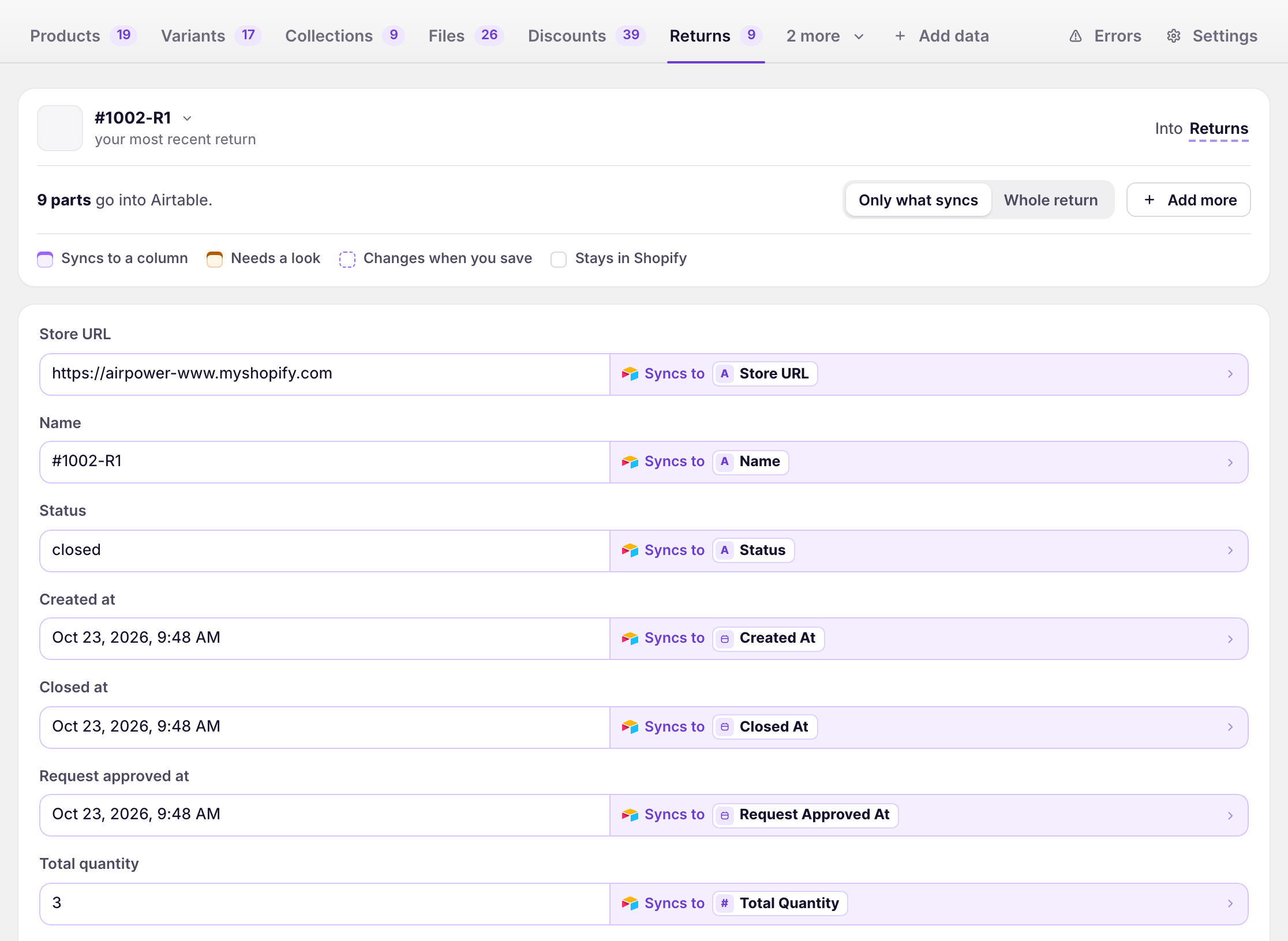
New tables come with the recommended fields. To add more, click Add more on the data type’s tab. Ticking Returns in step 7 loads your existing returns.
What Returns contain
Returns
Name, status, created at, request approved at, closed at, total quantity, decline reason, decline note, and store URL.
Return Line Items
Returned quantity, plus processable, processed, unprocessed, refundable, and refunded quantities. Each line also carries the return reason, the customer’s note, total weight, discounted totals in shop and presentment currencies, and the original order line item and fulfillment line item IDs.
Item Type on a return line is verified or unverified. A verified line is matched to a fulfilled item on the original order. An unverified line is not matched to an order item. Unverified lines have no order line item ID, weight, or discounted totals. They have Unverified Unit Price instead.
Exchange items, the new items a customer receives in an exchange, are not included.
How returns link to other tables
When the related data types are in the same sync, AirPower fills these linked-record columns:
- Order on the Returns table links to the original order
- Return Line Items on the Returns table links to the return’s lines
- Return on the Return Line Items table links to the parent return
- Order Line Item on the Return Line Items table links to the original order line, for verified lines
If a linked order or order line is not in Airtable yet, AirPower adds a row with only its Shopify ID so the link can be made. That row’s other fields fill in the next time the order syncs.
Saving adds any of these columns that your tables don’t have yet. If a link column is renamed or changed to another field type later, the sync pauses and shows an error that names the column. See Linked-record columns for how to fix it.
Load existing returns
- On the sync’s page, click Settings
- Find Download data
- Next to Returns, set the date next to Since
- Click Download
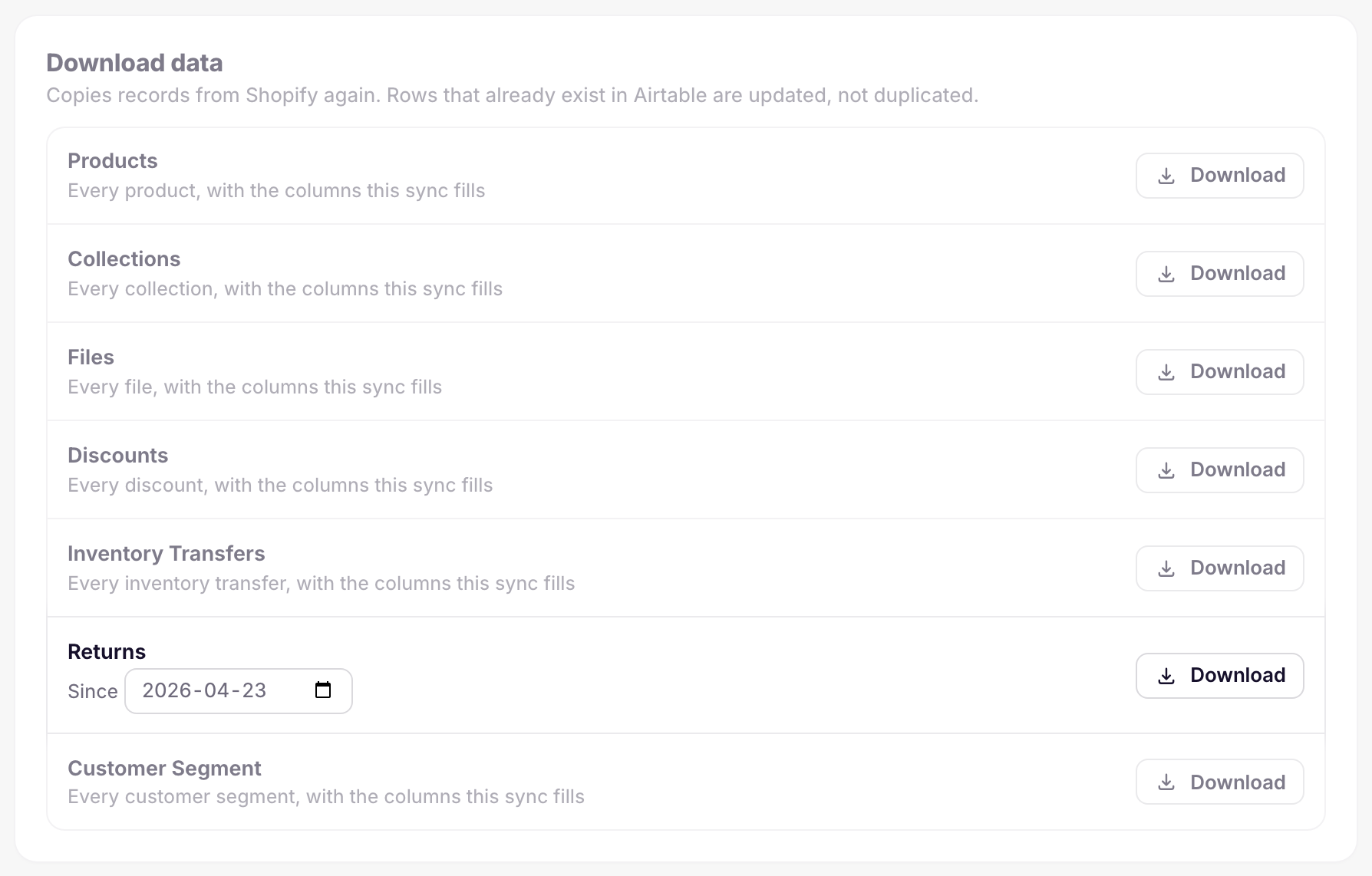
Shopify does not record when a return was last updated, so the download finds returns through their orders. It loads every return on orders updated since the selected date. The default date is six months ago.
Return Line Items load with their returns. There is no separate download row for them.
Ongoing sync
Shopify notifies AirPower when a return is requested, approved, declined, canceled, updated, processed, closed, or reopened. AirPower then reloads that return and its lines from Shopify and updates the rows.
Shopify does not send a notification when a return is removed. Return rows stay in Airtable until you delete them.
What you’ll see after saving
After the first download, the Returns table has one row per return, linked to its order. The Return Line Items table has one row per returned item, linked to its return and order line item.
Errors appear on the dashboard sync card and on the sync’s Errors tab. See Sync errors.
Related pages
Still stuck?
Email the team and tell us which store and which Airtable base you're working with.